 Eman on AI
Planning · Guide
Generating comprehensive project plans with HTML
A practical way to turn detailed plans into something you can actually inspect before implementation.
TL;DR
Already have the plan? Jump straight to the prompt.
When we take on a project or a big task, careful planning is indispensable. Even before AI-assisted software development, successful projects most likely started with thorough analysis, validation, and definition of the requirements.
Before we write a single line of code, the specifications should be defined and meticulously reviewed. If we do not do so, we risk major refactors after discovering gaps between the original plan and what we actually need.
Using AI coding agents or LLMs to help with planning is useful when the agent understands us and we understand what it has provided. I generally give the agent a comprehensive description of what I am trying to accomplish, then tell it to interview me about decision points and clarifying questions so it does not have to guess or make risky assumptions.
Once we have covered everything, I ask it to generate the overall plan. At the very least, it should cover:
- Overview, stakeholders, and responsibilities
- Scope, limitations, and risks
- Processes, modules, inputs, outputs, and relationships
- Architecture, end-to-end flows, implementation sequence, and timelines
The catch
The good thing with this approach is that the agent generates a very comprehensive and detailed plan. The problem, however, is that the agent generates a very comprehensive and detailed plan.
It is tempting to scan the document, pretend we have read it, and trust that the agent generated exactly what we wanted—as if it could read our minds.
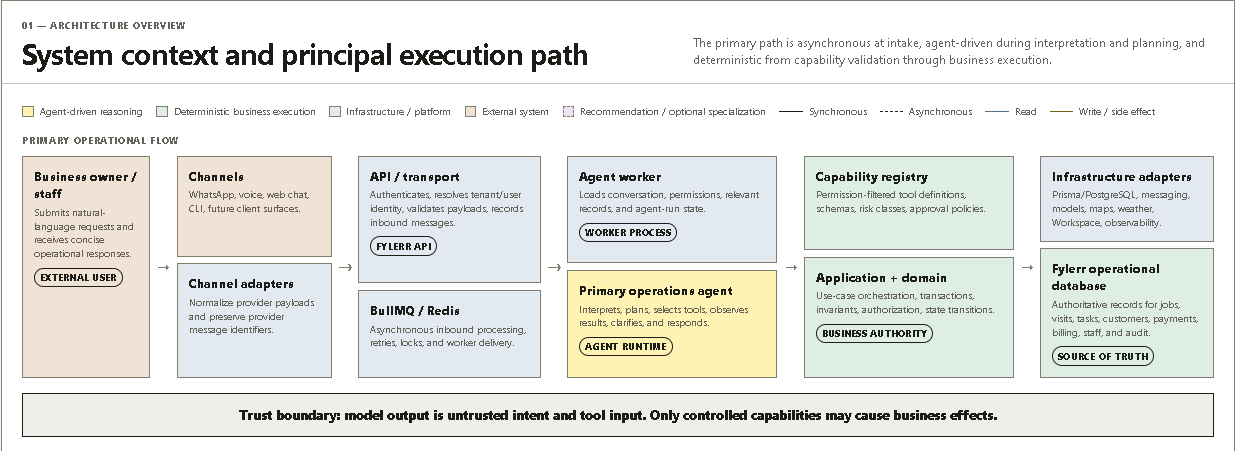
One way to solve that is to turn the plan into diagrams, illustrations, and explanations that make gaps easier to spot. An efficient way to do this is to turn the plan into a standalone visual HTML document.
Use this prompt
If you already have the plan in hand, paste it after this prompt to create the HTML version.
Create a standalone visual HTML document that transforms the provided plan, specification, proposal, process, strategy, requirements document, or structured notes into a clear and comprehensive visual reference.

Prioritize diagrams and structured visual relationships over text-heavy cards or long bullet lists. Use the most appropriate visual format for each concept, such as:

* High-level overview maps
* Processes and decision flows
* Timelines, phases, milestones, and dependencies
* Modules, components, workstreams, or functional areas
* Responsibilities, ownership, and handoffs
* Inputs, outputs, states, and transitions
* Relationships between people, teams, systems, data, or activities
* Risks, controls, constraints, assumptions, and unresolved questions
* Implementation sequence and operational flow
* Any additional views needed to explain the material completely

Use multiple complementary diagrams when a single diagram would become crowded. Clearly label arrows, relationships, boundaries, decisions, dependencies, ownership, inputs, outputs, and status where applicable.

Organize the page from general to detailed. A suitable structure may include:

1. Executive overview
2. Main components or workstreams
3. End-to-end flow
4. Responsibilities and ownership
5. Dependencies and relationships
6. Data, resources, or deliverables
7. Risks, controls, and failure points
8. Timeline, phases, or implementation plan
9. Key rules, assumptions, and unresolved decisions

Adapt the structure to the source material rather than forcing sections that do not apply.

Use flat, restrained styling only.

Do not use:

* Gradients
* Dark or heavy fills
* Glass effects
* Glow effects
* Excessive shadows
* Animations
* Decorative illustrations
* Flashy transitions
* Oversized dashboard cards
* Visual elements that do not communicate useful information

Use whitespace, borders, typography, simple line icons, restrained background fills, line styles, and a limited color palette to establish hierarchy.

The objective is not to make the document look impressive. The objective is to make it easy to inspect, understand, critique, present, and modify. Every visual element must communicate meaningful information.

Requirements:

* Produce one complete, standalone, responsive HTML file.
* Embed all CSS and JavaScript.
* Do not rely on external libraries unless they are essential.
* Preserve all important information from the source material.
* Do not invent facts, requirements, components, or decisions.
* Clearly mark recommendations, assumptions, and inferred relationships.
* Surface ambiguities, contradictions, missing decisions, risks, and unresolved questions.
* Keep diagrams readable without horizontal scrolling where practical.
* Add a legend for visual conventions when multiple colors or line styles are used.
* Distinguish relevant categories such as planned versus existing, internal versus external, manual versus automated, synchronous versus asynchronous, or required versus optional.
* Ensure the page remains understandable when printed or viewed without animation.
* Use semantic HTML and accessible labels.
* Include a print-friendly stylesheet.
* Keep the final output focused on the source material rather than adding decorative content.

Source material:

[PASTE THE PLAN, SPECIFICATION, NOTES, OR DOCUMENT HERE]
Now you have a visual reference for the plan. You can inspect each component and detail, spot misunderstandings with the agent, revise quickly, and start implementation with fewer surprises.